Trusted Web Search
Search the web from EM1 -- only through the websites you allow.

EM1 grounds every AI response in documents you've uploaded to your knowledge base and the EM1 Library. That isn't changing.
But emergency management requires live information. Weather systems shift by the hour. FEMA guidance updates, executive orders, and legislative changes can reshape your operating environment without warning. Until now, tracking that information happened outside of EM1.
Trusted Web Search brings real-time web information into EM1, restricted to the domains you configure.
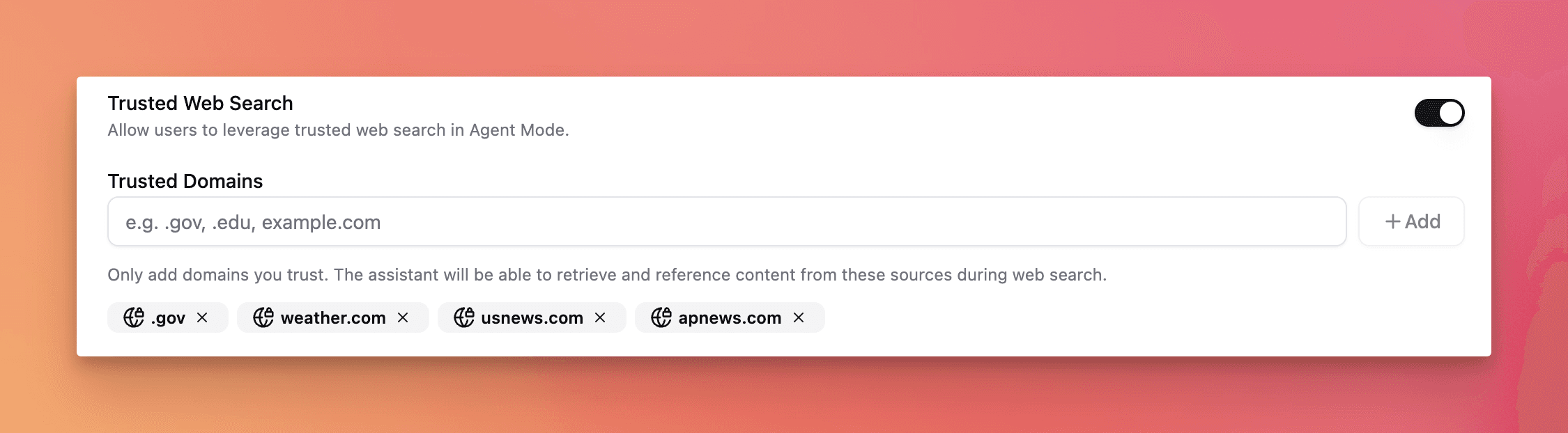
How It Works
Organization-level control. Enable or disable Trusted Web Search in your organization settings. If you leave it off, nothing changes.
Curated domains. When enabled, EM1 searches only .gov domains by default. Your organization can add up to 9 other trusted domains.
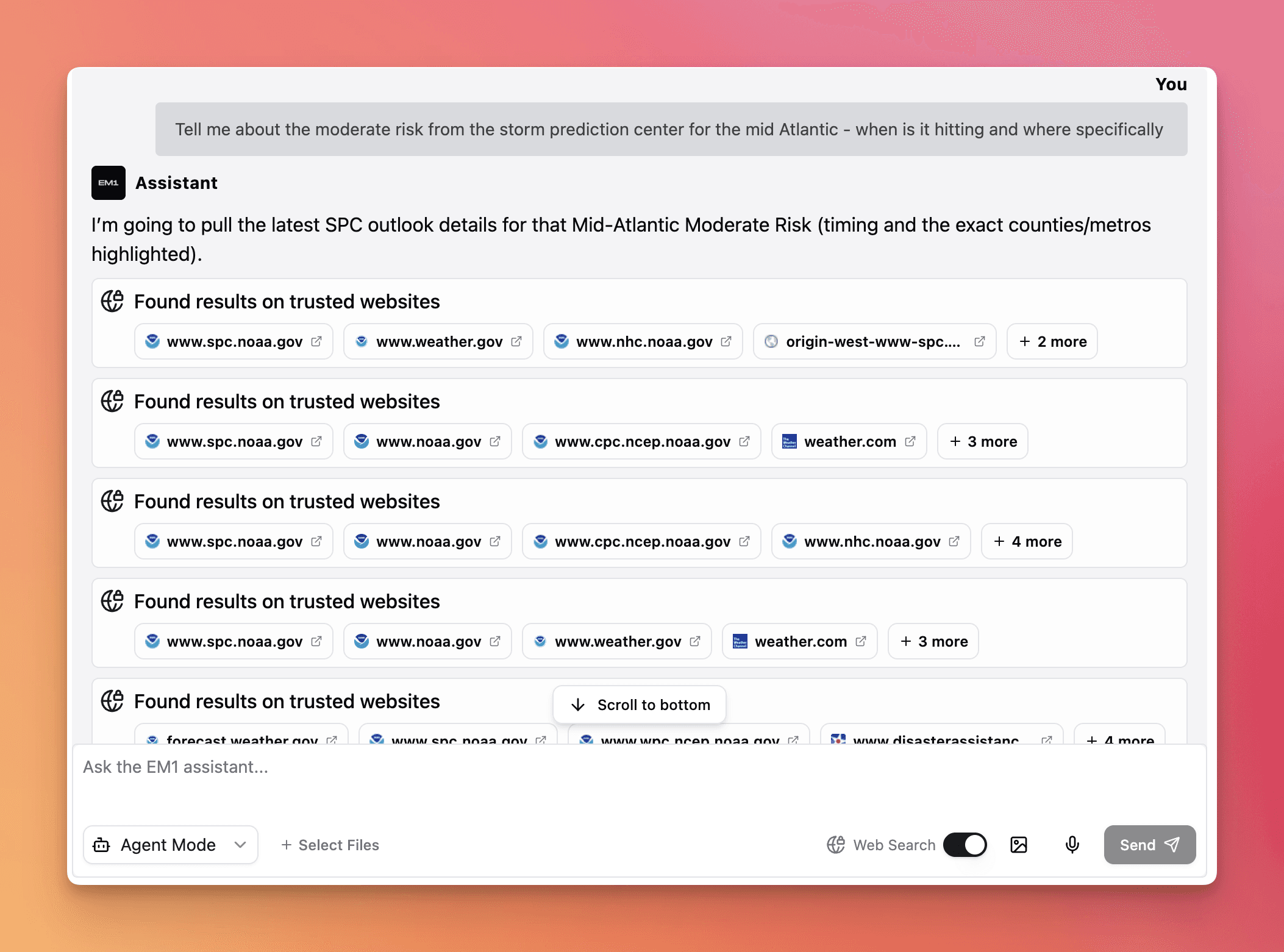
Per-message toggle. A toggle appears on the Assistant view when Trusted Web Search is enabled for your org. Turn it on for any message. The Assistant determines when a web search is relevant to your query, or you can instruct it to search directly.
Citations You Can Trace
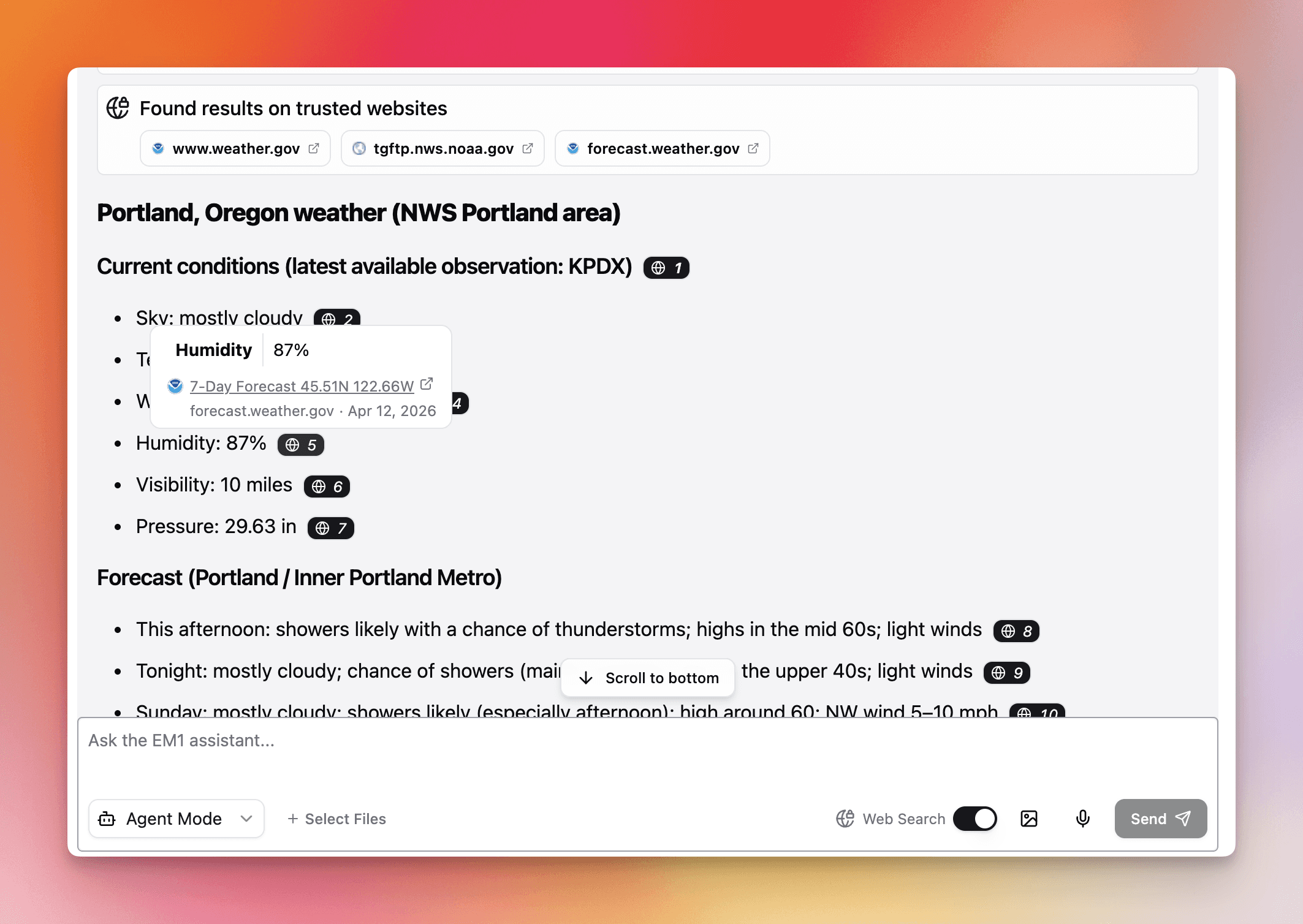
When the Assistant references web results, you see exactly what informed the response:
The Assistant lists which pages it searched.
Each web result appears as an EM1 Citation with the specific text that guided the response. Click any citation to open the source page directly.
Web citations use a distinct icon, immediately distinguishable from Knowledge Base, Library, and Private Files citations.
You always know which source informed which part of the response.
Security: Layered by Design
Pulling content from the web into an AI system introduces a known risk: prompt injection. This is when a website embeds hidden instructions intended to manipulate an LLM's behavior or extract information. (Learn more about prompt injection)
EM1 defends against this at three layers:
You control the sources. Web search is limited to domains you explicitly enable. Trusted sources are unlikely to contain adversarial content.
No outbound data capability. The EM1 Assistant cannot send information to external services. Even if a malicious instruction told the model to transmit data from your account, no mechanism in EM1 exists to do so.
Prompt analysis. EM1 evaluates all prompts before processing to identify and block injection attempts.
Get Started
Organization administrators can enable Trusted Web Search from organization settings. Once active, any user in the organization can toggle it on per message from the Assistant view.